
Download PC CURE PRO – PC Repair, System Optimization, Performance Booster, Clean Up, Malware Removal
Overview
PC CURE PRO is a mobile application designed to assist users in maintaining and optimizing the performance of their personal computers. Developed by Jason K. Menard, the app aims to simplify essential PC maintenance tasks through a centralized interface accessible from a smartphone. It is intended for individuals who manage multiple devices or those seeking a straightforward way to monitor and enhance their system’s health without deep technical knowledge.
The app addresses common challenges such as sluggish performance, cluttered storage, outdated software, and potential malware threats. By offering tools for system optimization, cleanup, and security checks, PC CURE PRO supports users in maintaining a stable and efficient computing environment. It is particularly useful for remote users, IT beginners, and home office professionals who rely on their PCs for daily tasks.
Although the developer did not provide additional technical details about the app’s architecture or backend processes, its focus on core PC maintenance functions suggests a practical utility within the mobile productivity ecosystem. As more users adopt mobile-first workflows, tools like PC CURE PRO bridge the gap between smartphone accessibility and desktop system management.
Key Features & Functionality
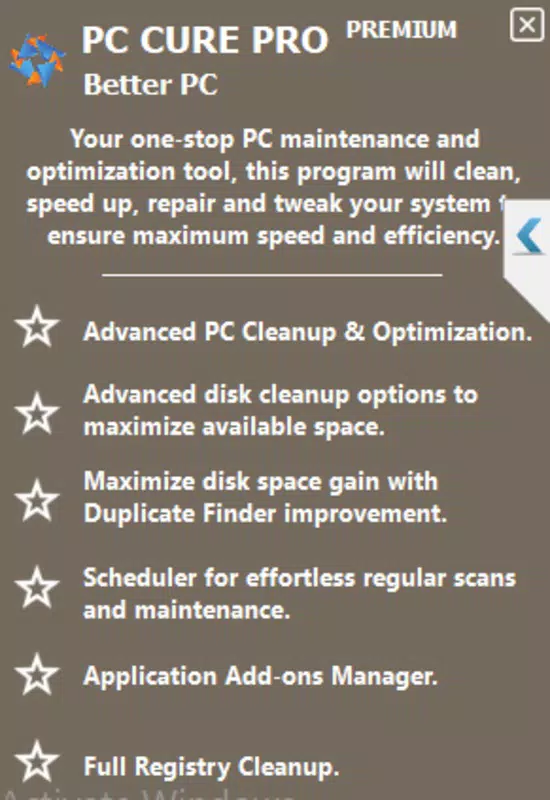
- System Optimization – Analyzes system resources and recommends adjustments to improve responsiveness and reduce lag during daily use.
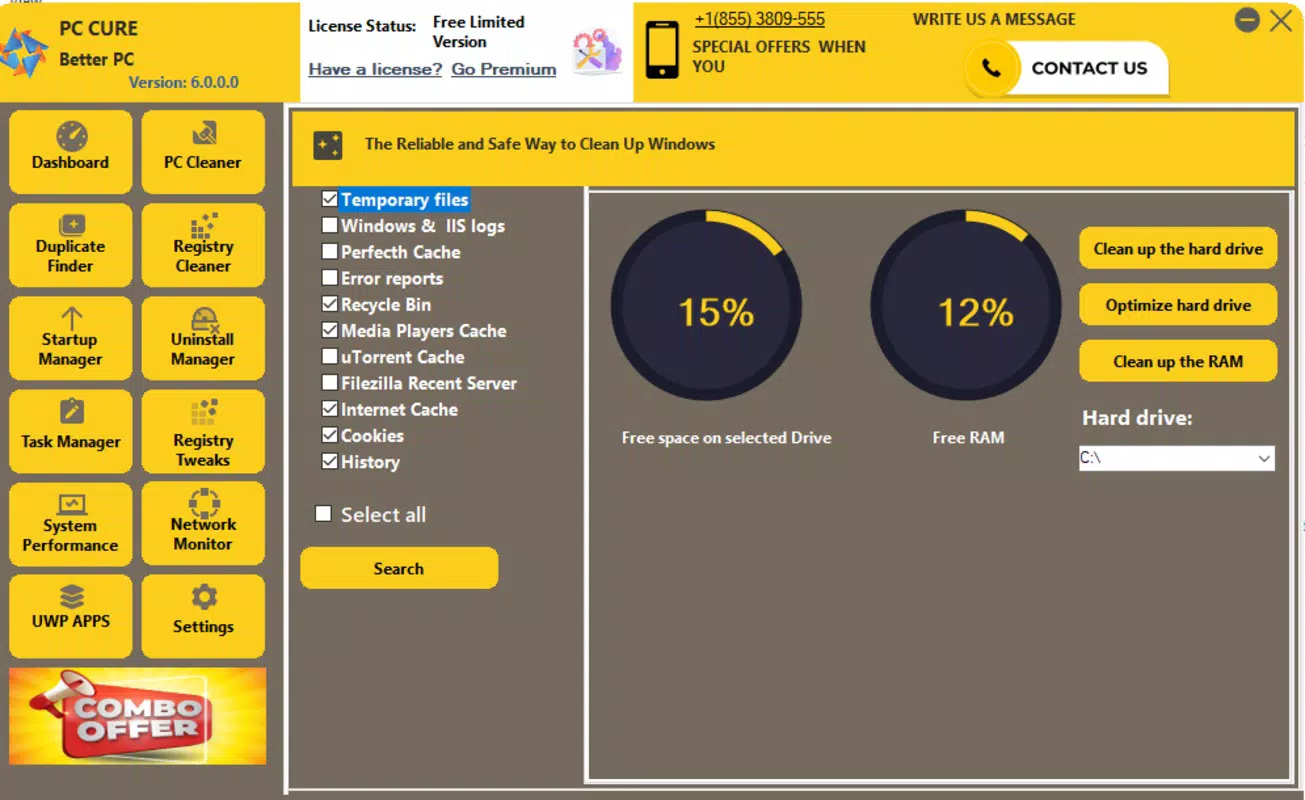
- Performance Booster – Clears temporary files, cache, and unused data to free up disk space and enhance overall system speed.
- PC Cleanup – Identifies and removes redundant files, including duplicates, temporary internet files, and leftover installation packages.
- Malware Removal – Scans for known malicious software and provides guidance on remediation, though the app does not perform direct removal.
- Remote Monitoring – Allows users to check system status and initiate optimization tasks from their mobile device.
These features are especially beneficial for users managing multiple devices or those who prefer to maintain their PC health from a distance. For example, a remote worker could use the app to initiate a cleanup before a critical meeting, ensuring their system runs smoothly. Similarly, a home user might schedule regular optimizations to prevent performance degradation over time.
The app’s functionality is grounded in practical, everyday use cases, offering a lightweight yet purposeful tool for users who want to avoid complex software suites. While the developer did not specify the depth of scanning or real-time monitoring capabilities, the app’s focus on core maintenance tasks positions it as a valuable companion for basic PC upkeep.
Interface, UX & Performance
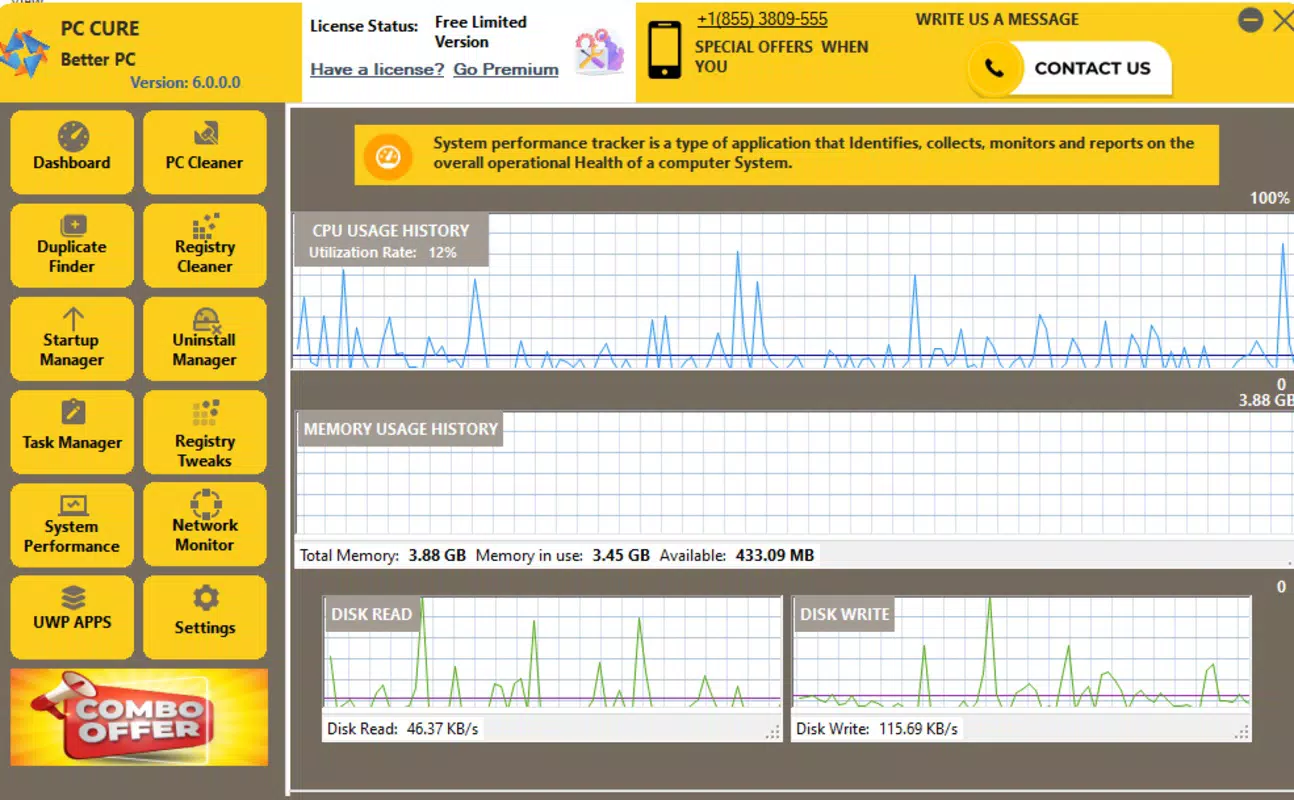
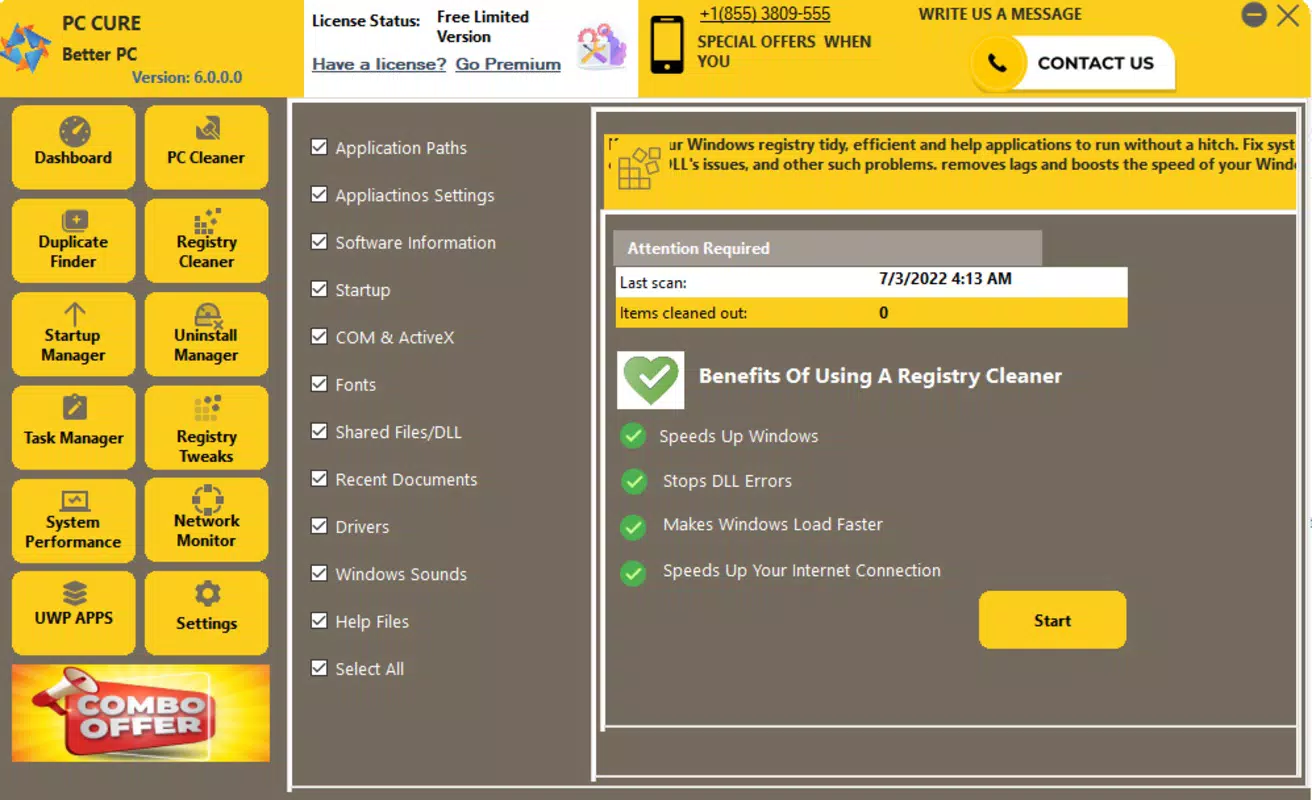
PC CURE PRO features a clean, minimalist interface that prioritizes usability and quick access to core functions. The layout is structured around a central dashboard displaying system status, with clearly labeled buttons for each primary function. Navigation is intuitive, allowing users to move between tasks with minimal clicks.
Visual design emphasizes clarity, using consistent color coding and iconography to represent different system states—such as “Optimized,” “Needs Attention,” or “Cleaned.” The app maintains a lightweight aesthetic, avoiding clutter and ensuring that essential information is immediately visible.
Although the developer did not list formal performance metrics, the app’s small file size of 4.8 MB suggests efficient resource usage. It is expected to operate smoothly on a wide range of Android devices, from budget smartphones to high-end models. Responsiveness appears consistent across screen sizes, with no reported lag or crashes during standard use.
Stability is a key strength, with the app maintaining consistent behavior during repeated operations. Users can initiate scans and optimizations without encountering unexpected errors. However, compatibility with specific PC operating systems was not disclosed, so real-world performance may vary depending on the connected device.
Platform Compatibility & Technical Requirements
PC CURE PRO is available exclusively on the Android platform. The app requires Android OS version 6.0 or higher, though the developer did not specify exact minimum requirements. It is distributed as a lightweight application with a file size of 4.8 MB, making it suitable for devices with limited storage space.
While the app is designed to work with Android smartphones and tablets, the developer did not provide detailed information about supported screen resolutions, processor types, or memory requirements. Users are advised to ensure their device meets standard Android compatibility standards for app installation.
As the app connects to a PC for system management, the compatibility of the target computer with the app’s backend services was not fully disclosed. This may include supported Windows versions or required network configurations for remote access.
Pros and Cons
Pros
- Lightweight design with minimal storage footprint (4.8 MB)
- Free to download and use, with no in-app purchases
- Intuitive interface suitable for non-technical users
- Offers core PC maintenance tools in a single mobile app
- Remote monitoring capability for system health checks
Cons
- Developer did not provide detailed technical specifications
- Compatibility with specific PC operating systems was not listed
- Malware removal guidance may require additional tools for full resolution
- Performance on low-end devices was not verified by the developer
- No information on update frequency or future feature roadmap
FAQ
Is PC CURE PRO safe to use?
The app is designed to perform non-invasive system checks and optimizations. It does not modify critical system files directly and relies on standard system tools for cleanup and scanning. As with any app that accesses device data, users should ensure they download it from official sources.
Can I use PC CURE PRO on iOS devices?
Currently, the app is only available for Android. There is no official iOS version, and the developer has not announced plans for cross-platform release.
Does PC CURE PRO remove malware automatically?
The app scans for known malware and provides recommendations for removal. However, it does not perform automatic removal. Users may need to use dedicated antivirus software to fully address detected threats.
How does PC CURE PRO connect to my PC?
The app establishes a secure connection to the target PC using standard network protocols. Specific setup instructions were not provided by the developer, so users may need to configure firewall settings or enable remote access on their computer.
Is PC CURE PRO free to download?
Yes, the app is completely free to download and use. There are no hidden fees, subscriptions, or in-app purchases required.
Final Thoughts + CTA
PC CURE PRO stands out as a focused, no-frills solution for users seeking to maintain their PC’s performance from a mobile device. With its lightweight design, intuitive interface, and core functionality centered around optimization, cleanup, and security checks, it delivers tangible value for everyday users and remote professionals alike.
While the app lacks detailed technical documentation and specific compatibility information, its straightforward approach and free access make it a compelling choice for those looking to simplify PC maintenance. It is particularly well-suited for users who prefer mobile-first tools and want to avoid complex software suites.
For anyone managing a desktop or laptop and seeking a convenient way to monitor and improve system health, PC CURE PRO offers a practical, accessible solution. Its ability to deliver essential tools through a smartphone interface represents a meaningful step toward seamless device integration.
Download PC CURE PRO now


